




01
Story selection
Finds the moments that stand alone, and cuts them where they actually start and end.
01
Finds the moments that stand alone, and cuts them where they actually start and end.
02
Reframes 16:9 to 9:16 by following whoever is speaking, not by cropping the middle.
03
Word-level timing with emphasis, drawn in the type treatment your look specifies.
04
Cutaways, b-roll and graphics placed where the edit calls for them.
05
Music and effects mixed under the dialogue, ducked against the speech track.
06
A finished MP4 at full quality — the same file the pipeline produced, untouched.
Your look
Your colours, your type, your captions, your graphics, your motion — set once. Every clip comes out already wearing them.
Available on ProMusic and effects are designed into the edit and mixed beneath the dialogue — nothing plays louder than the person talking.
Music bed
Composed to the cut, ducked under speech.
Sound effects
Placed where the edit asks for them.
The voice
Untouched. Everything else makes room.
OneShot doesn't lift one lucky segment. It opens on the hook, cuts the story together from across the whole video, lifts the silences out, and lands the ending where it belongs.
The hook
The strongest beat opens the clip.
Multi-cut
Assembled from across the whole video.
Silences
Dead air lifted out, ripple-tight.
The landing
In and out where it feels natural.
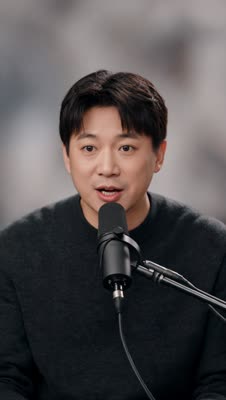
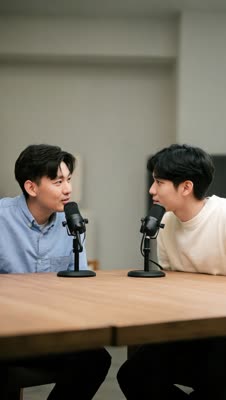
A centre crop throws away half a two-hander. OneShot follows the active speaker across the cut — watch the frame change its mind when the turn does.
A look is a full motion design — layers, keyframes, type, grade, with text, images and video generated to fit — and the AI performs it fresh on every clip.
Layers & keyframes
Real motion-graphics compositions, staged in depth — not lower-third presets.
Generated to fit
Text, imagery, even video created inside the look, for each clip.
Performed, not stamped
The AI reads every clip and applies the look creatively to it.
Yours or the library's
Start from a published look, or build your brand its own.
01
Paste a YouTube link or upload a file. Media goes from your browser straight to storage — it never passes through the app.
02
Choose a published style once. OneShot pins its exact version, so a rerun six months from now looks like the first one.
03
Follow every stage live, review the vertical gallery, then download the untouched final render.
Paste a YouTube link or upload a file. Media goes from your browser straight to storage — it never passes through the app.
Choose a published style once. OneShot pins its exact version, so a rerun six months from now looks like the first one.
Follow every stage live, review the vertical gallery, then download the untouched final render.
A look decides the grade, the framing and how captions are drawn. Published styles are version-pinned, so the twentieth video matches the first.
Cinematic documentary texture, clean typography, and polished motion accents for story-led social clips.
Fast editorial pacing, sharp serif typography, and punchy visual cutaways for high-energy short-form clips.
Elegant serif typography, premium teal overlays, and fluid transitions with a refined editorial finish.
Your first video
One run, on us. See the clips before you decide anything.
See price at checkout
For one show, publishing every week.
See price at checkout
For a team with more than one show to feed.
Networks, agencies, and heavy pipelines — as much video as you need, multiple workspaces, invoicing, and a real human on call.
Payments are handled securely by Polar. Cancel whenever you like.
Paste a link and see what comes back. The first one is free.
Start free